
Platform Walkthrough
A quick visual tour of the core platform screens.
Platform Walkthrough
Step 1: Dashboard
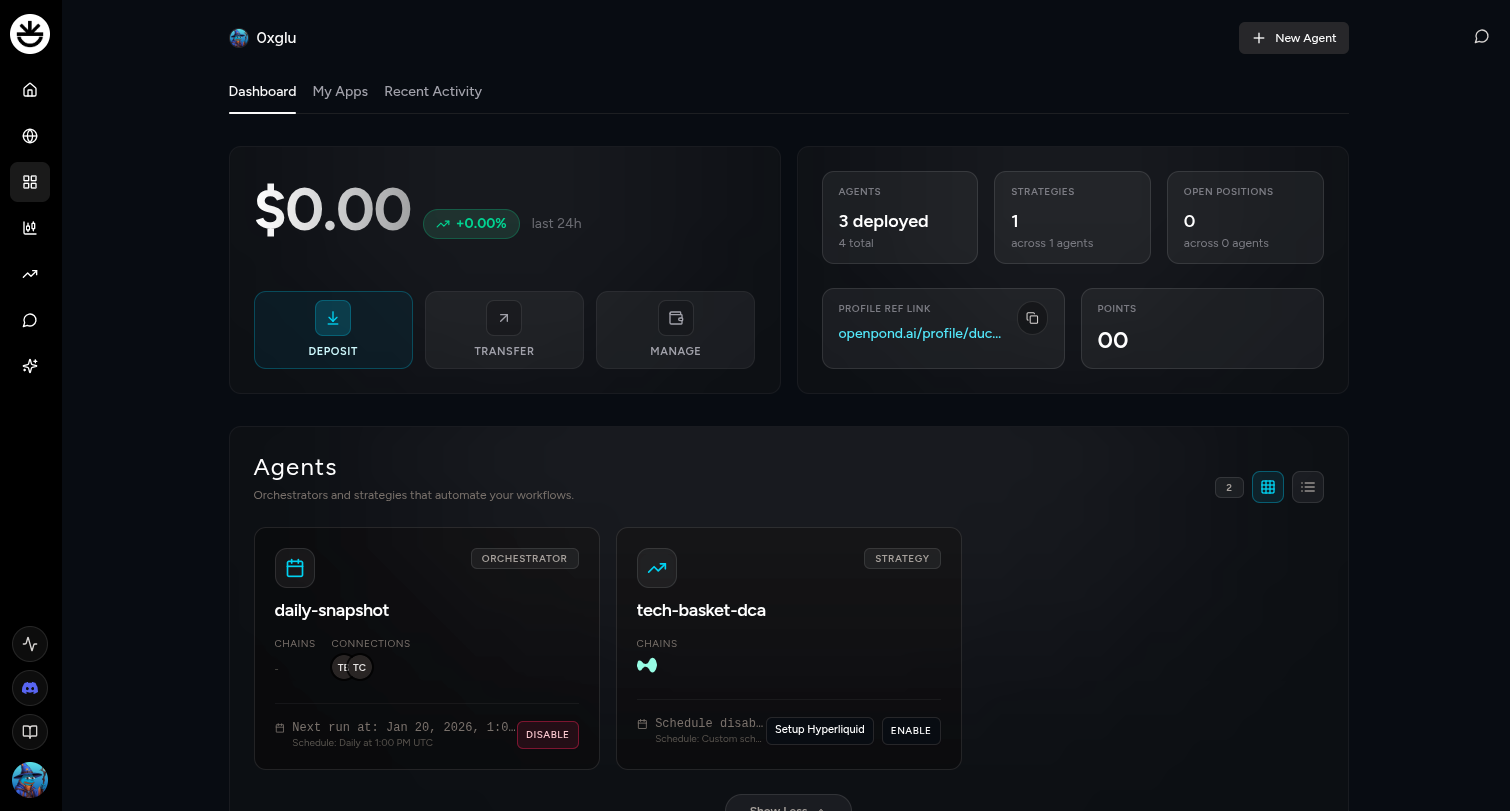 Your quick snapshot of balances, activity, and tools.
Step 2: My Apps
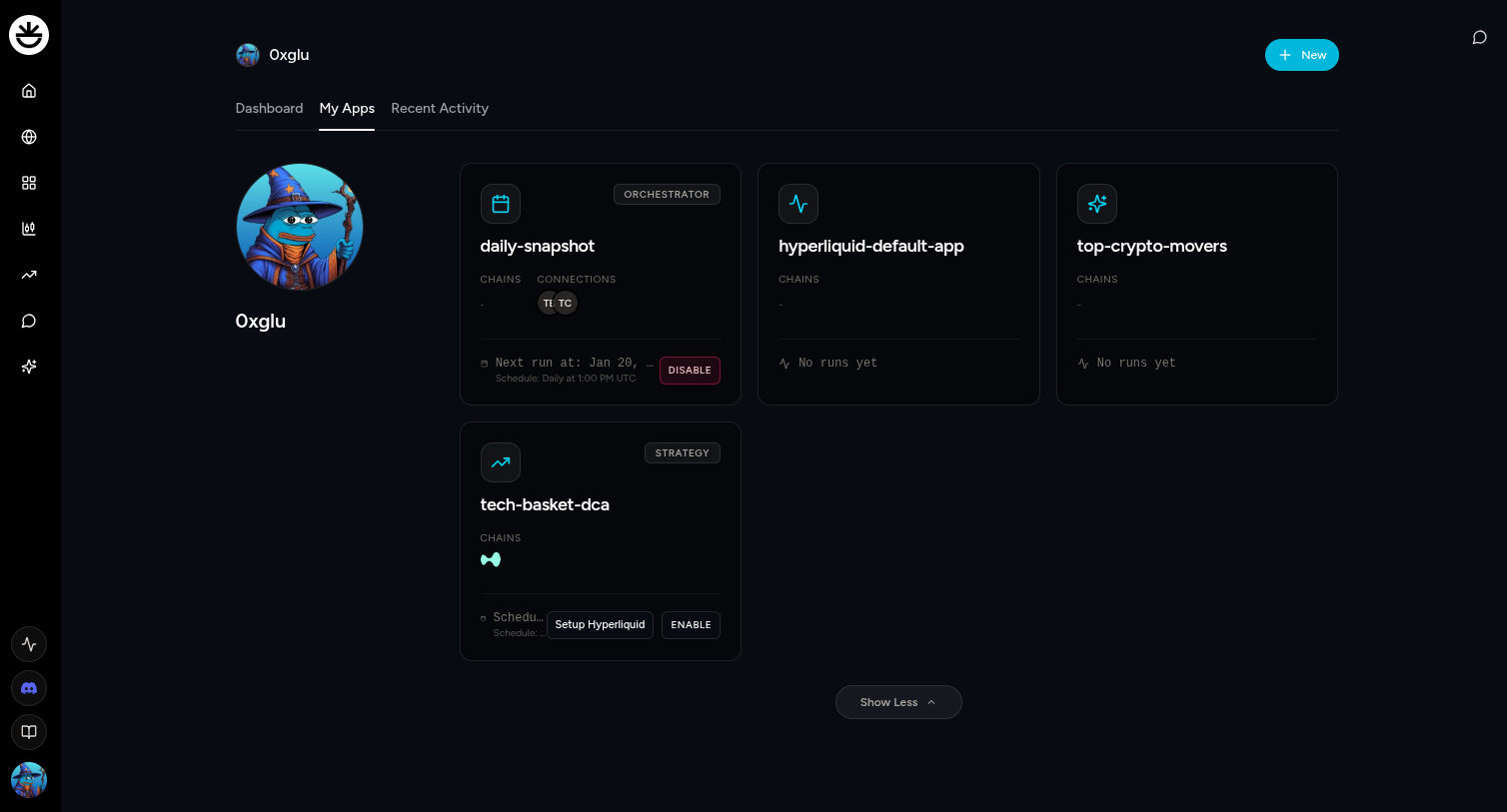 Browse every app you own in one place.
Step 3: Agents and get started
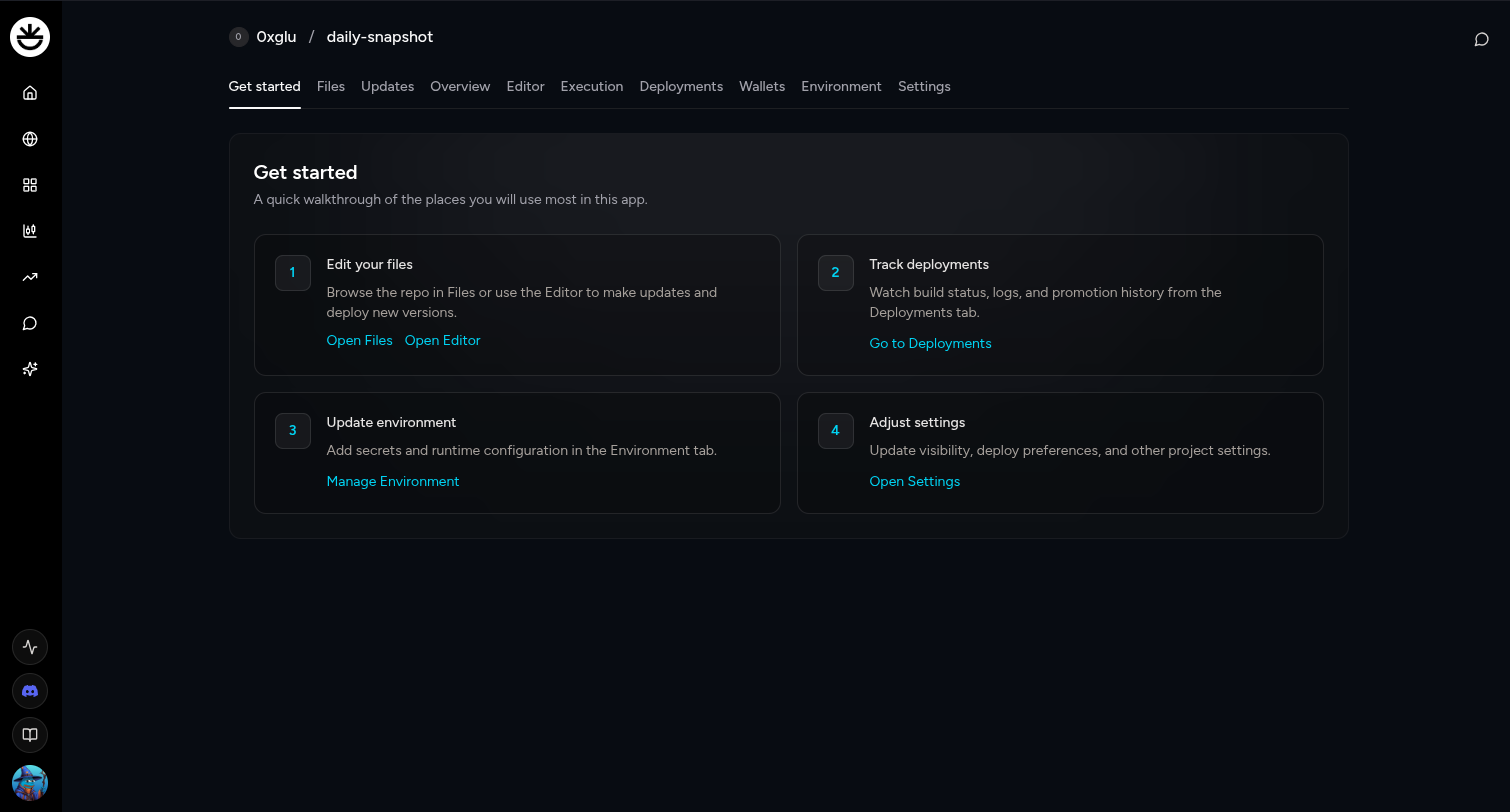 Launch agents and follow the guided setup flow.
Step 4: Update agent
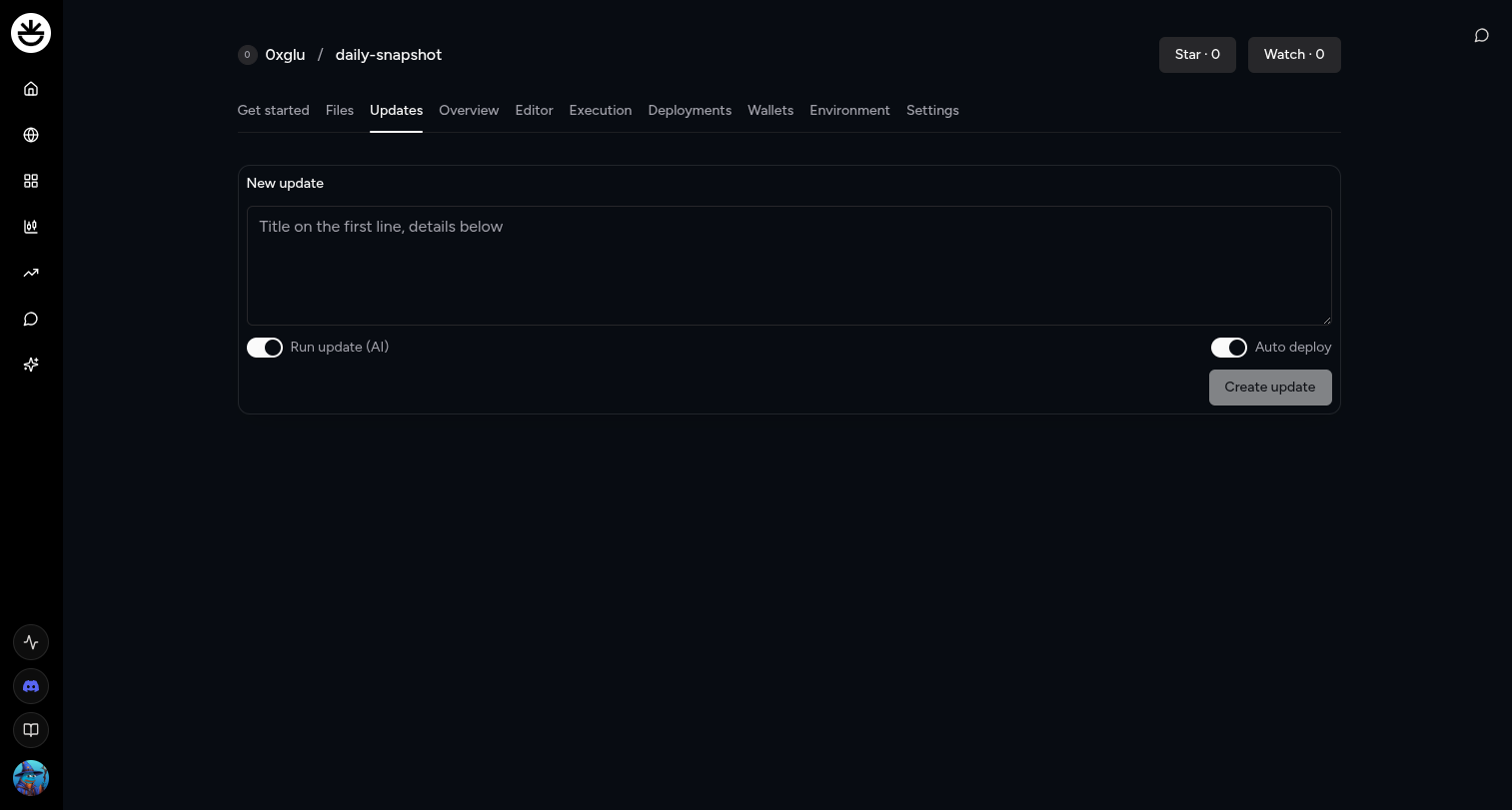 Make changes and deploy updates fast.